
Processing – Brands
The Brands tab is used to review and manage brand-specific processing configuration. Settings are grouped by payment brand or feature area (for example, Click to Pay, MasterCard Installments, and other supported brands).
Figure 1: Processing – Brands tab
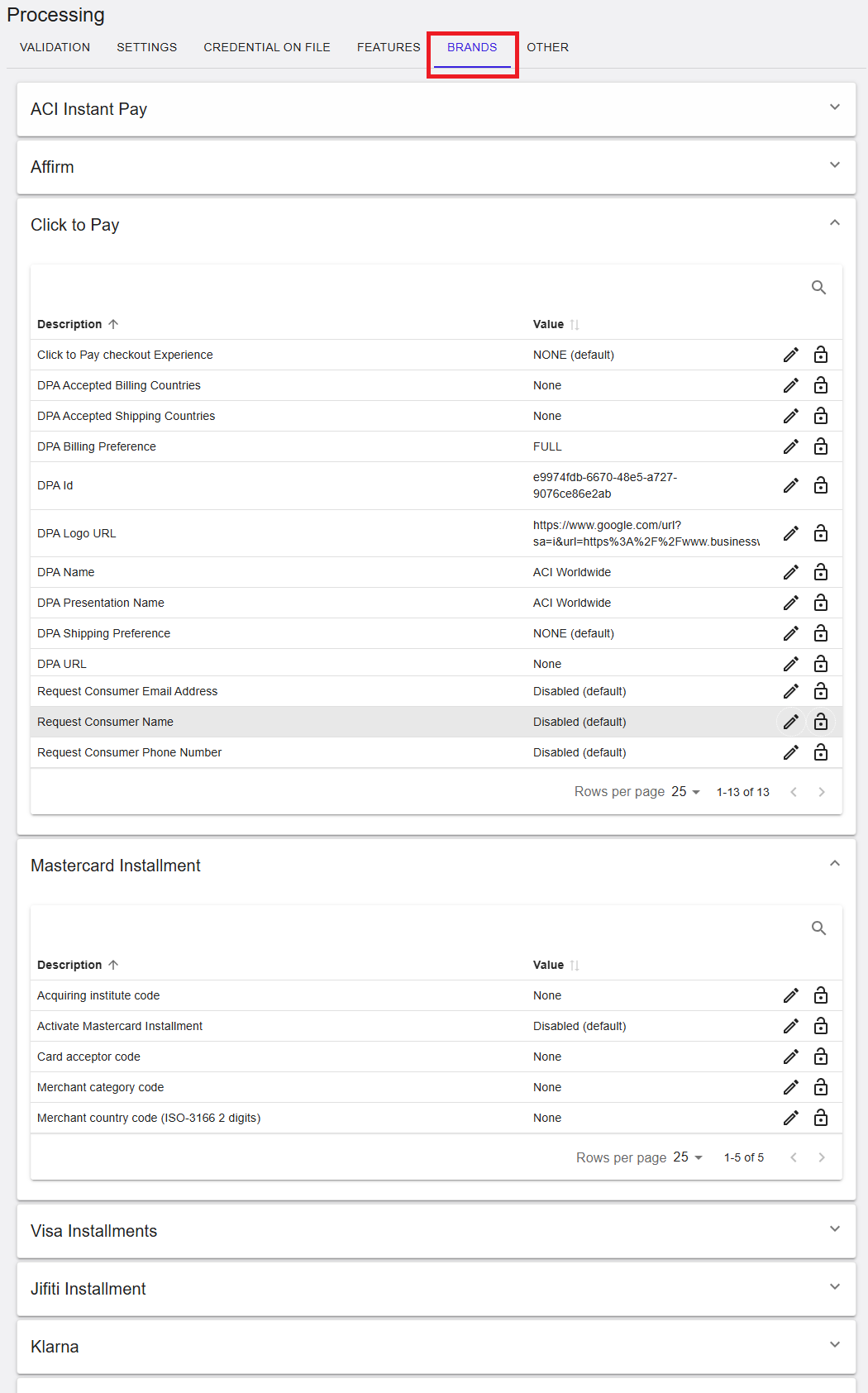
Where to find this screen
- In the left navigation menu, select Admin.
- Select Processing.
- Select the BRANDS tab.
Brand Sections (Expandable Panels)
The BRANDS tab is organized into expandable sections. Each section represents a brand or a brand-related capability. Select the arrow on the right side of a section to expand or collapse it.
Examples of sections shown:
- ACI Instant Pay
- Affirm
- Click to Pay
- Mastercard Installment
- Visa Installments
- Jifiti Installment
- Klarna
ACI Instant Pay (RiRo)
Affirm (RiRo)
Click to Pay (RiRo)
Mastercard Installment (RiRo)
Jifiti Installment (RiRo)
Klarna (RiRo)
B4 Payments (RiRo)
Search and Actions
- The Search icon can be used to quickly find a parameter.
- The Edit icon allows updating a parameter value, subject to permissions.
- The Lock icon indicates a parameter that is read‑only for the current scope.
Summary
The Processing → Brands tab provides centralized access to brand‑specific configuration. Use the expandable sections to locate the relevant payment brand or capability and review or update settings where permitted. Availability of edit actions depends on your assigned permissions and the selected scope.